top of page
The Social Blog
All you need to know in Social media, Marketing and Digital trends


How To Secure Coolify Server with Fail2Ban
Self-hosting Coolify on a VPS is awesome — it gives you full control and zero limits compared to Vercel or Netlify. But that control comes with responsibility. One of the biggest risks is leaving your server exposed to brute-force, port scans, and bots hammering /wp-login.php or similar paths and admin panels. In this guide, I’ll show you exactly how I secured my Coolify server using Fail2Ban , even when Traefik is handling all the reverse proxy traffic. Why Fail2Ban? Fail2Ba
Mustafa Ramadan
Jun 155 min read


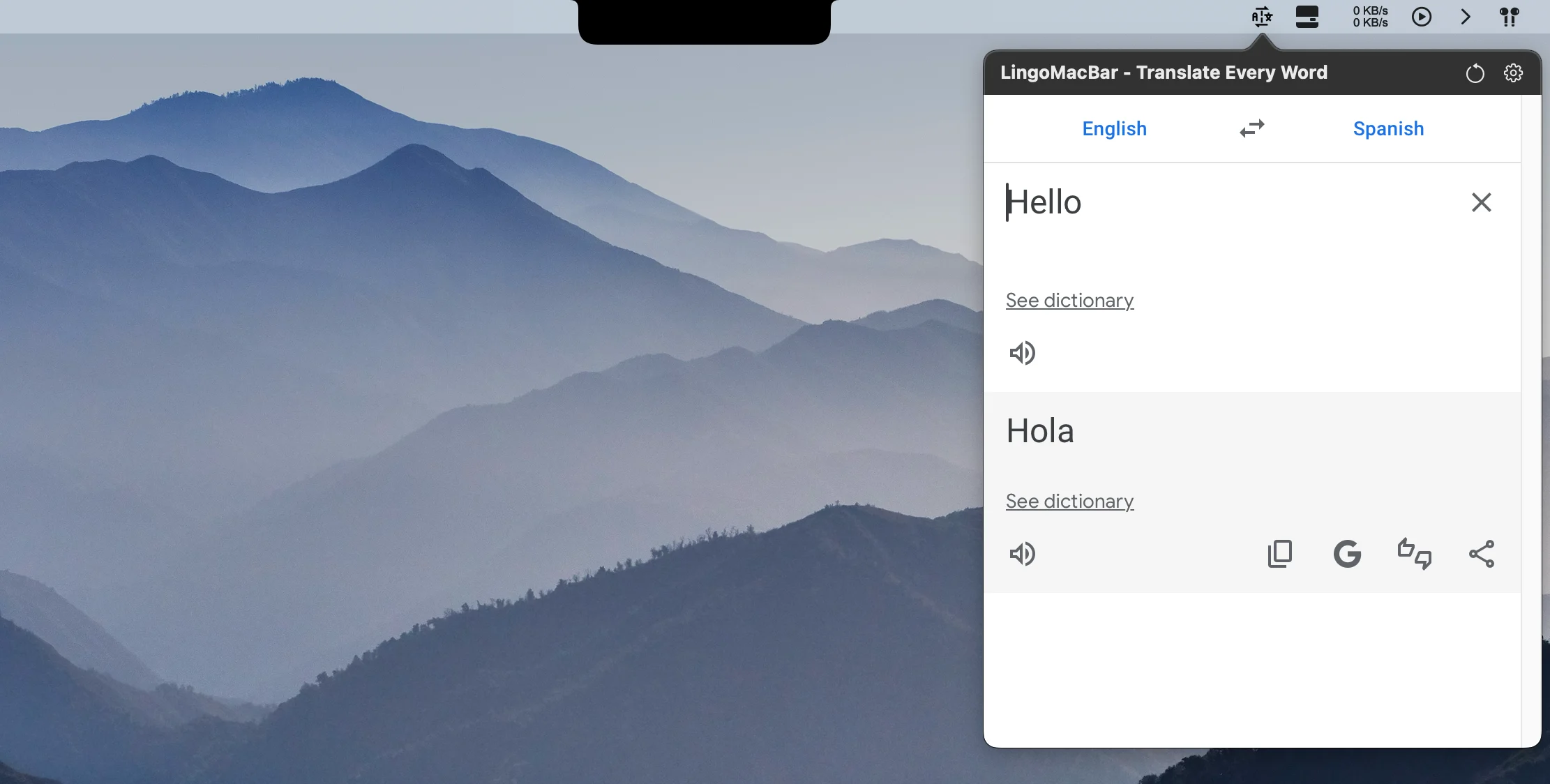
Mac Translate Bar App – LingoMacBar (Menu Bar Translator for macOS)
If you’re a Mac user who works with multiple languages , whether you’re a developer, writer, student, content creator, or remote professional , you’ve probably wished for a faster way to translate text without disrupting your workflow. Meet LingoMacBar — a beautiful, ultra-lightweight macOS menu bar translation app that lives right in your menu bar . It lets you translate text instantly using Google Translate and DeepL , all without opening a browser or switching apps. Why
Mustafa Ramadan
Jul 122 min read


Download BoringNotch for Mac - Make Your Mac Notch Useful with the Boring Notch
If you’ve got a MacBook Pro or MacBook Air with a notch, you’ve probably thought: “Why is this space just sitting there doing nothing?” You can download The BoringNotch on mac which changes that completely: The boring notch is like Dynamic Island for macOS — turning your Mac’s notch (or top menu bar) into a smart, interactive productivity hub . From Apple Music & Spotify controls to a Pomodoro timer , clipboard history , calendar events , and even a camera mirror preview ,
Mustafa Ramadan
Jun 284 min read


How to Install n8n on Coolify Using the Ready Services (With or Without PostgreSQL)
Looking to install n8n , the powerful open-source AI workflow automation tool? If you’re using Coolify v4+ , you’re in luck — because n8n...
Mustafa Ramadan
Jun 143 min read


Expose Your Local Coolify Server with Cloudflare Tunnel
So you’ve installed Coolify the (open-source Heroku alternative) on your local Ubuntu VM (inside Parallels, VirtualBox, VMware, etc.), exposed ports 80 and 443, everything works perfectly inside your network … But then… 💀 You try to visit your app from outside like you 4G phone or a friend's device — and boom — nothing loads! Welcome to the Home ISP Port Blocking Club™ . Yes, some ISPs (especially here in Australia 🇦🇺) block ports 80 and 443 for inbound traffic. They hate
Mustafa Ramadan
Jun 145 min read


How to Run Coolify on Local VM and Expose it Publicly
Recently I tried running Coolify on my local machine (for testing and playing with it). And now I personally use this local Coolify setup...
Mustafa Ramadan
Jun 144 min read


Secure Your Coolify Server & Websites with CrowdSec and Traefik
This guide shows you how to fully secure your Coolify server and all your hosted websites using CrowdSec. We'll install CrowdSec on the host ubuntu server then connect it with a firewall bouncer, and protect all traffic globally via the CrowdSec Traefik plugin. Why to secure Coolify with crowdsec as firewall ? CrowdSec Host Agent : Protects your whole server (SSH, system-level) Firewall-Bouncer (nftables) : Automatically blocks attackers on network level CrowdSec Bouncer Plug
Mustafa Ramadan
Apr 65 min read


Protect your Coolify websites with CrowdSec Firewall
Are you self-hosting your apps using Coolify that using Traefik v3? Want a firewall to protect your apps from bad bots, abuse, and attacks? In this guide, I’ll show you how to install and configure CrowdSec on Coolify with Traefik v3 using the CrowdSec bouncer plugin — the easy way. Perfect for people hosting many websites with Docker and Traefik on a Coolify server. Note: This setup is to protect your websites only. It does not work as firewall to protect your full server
Mustafa Ramadan
Apr 63 min read


Configure Coolify: Deploy and Manage Your First Project (Production Ready)
In our previous guide, The Cheapest Way to Host & Deploy Websites with Coolify , we walked you through installing Coolify on an Ubuntu server —a powerful, affordable and the quickly becoming a popular self-hosted system to deploy and manage applications effortlessly. Now, it’s time to take things further ! In this guide, we’ll show you how to: ✔️ How to manage Coolify ✔️ Deploy your first project with GitHub integration ✔️ Set up databases like PostgreSQL & MySQL ✔️ Automate
Mustafa Ramadan
Mar 155 min read


Cheapest Way to Host & Deploy websites: Self-Hosting Install Coolify on Ubuntu (Vercel & Netlify, Heroku Alternative!)
Looking for the cheapest way to host and deploy your web apps? If you’re tired of paying high fees for Vercel.com , Netlify.com , or Render.com , heroku.com You can install Coolify is the perfect self-hosted alternative. It’s an open-source deployment platform that lets you launch and manage applications effortlessly—just like Vercel or Netlify , Heroku—but at a fraction of the cost . With Coolify, you can deploy Next.js, React.js or any Node.js projects even PHP, an
Mustafa Ramadan
Mar 155 min read
bottom of page